
 JRUFER.TV
● REC 00:00
JRUFER.TV
● REC 00:00
PLAY ▶ SP ·PLAYER 1 READY ·C:\>VECTOR SCAN ·A NEW HERO · FULL-STACK · UI · GEN-AI
Pushing pixels& shifting bits
Josh Rufer — software developer and UI designer. I build on-device AI tools in Rust and Flutter, and the interfaces that make them feel like play.

LISTENING · ON-DEVICE INFERENCE
NOW SHOWING · CH 01 · v0.8.6
VoxCtrl
Speak to anything
on your machine.
Real-time voice dictation and programmable Output Commands you trigger by name, out loud. whisper.cpp, Moonshine and Parakeet TDT run natively on your own CPU or GPU; hotkeys arrive through the XDG GlobalShortcuts portal; a seven-step first-run wizard has it working before you ever open Settings. Native Rust and Tauri — Linux-first, Windows in beta.
INTERACTIVE · VOICE COMMAND ROUTER
Say the destination out loud.
Start dictation, say “VoxCtrl”, then a command's name, then what to send. Say nothing of the sort and dictation goes wherever your hotkey already points. Pick a line and press talk.
03 · TOKENISED BY THE ROUTER
CORE ARCHITECTURE
Engineered for speed and privacy.
Three engines, all on-device
whisper.cpp for accuracy, Moonshine ONNX for noisy rooms, Parakeet TDT for speed — plus a 1.58-bit Redux model when memory is tight and the English-only Phonon-2.
GPU for every engine
New in v0.8.0: GPU acceleration for all three engines, Vulkan for whisper.cpp and WebGPU for Moonshine and Parakeet, with one switch each and a built-in speed test to compare them.
No keylogger, by design
Shortcuts register through the XDG GlobalShortcuts portal. The OS tells VoxCtrl only when its own key fires — it never sees your typing.
Output Commands by name
Twelve delivery types — inject, file, exec, pipe, socket, dbus, http, webhook, mcp, speak, chat, clipboard — and a router that picks between them.
Local neural TTS
Hear replies aloud with no cloud API: Breeze-TTS-2, VoxCPM2 and Pocket-TTS voice cloning, Piper, Inflect Micro or eSpeak-NG.
Built-in MCP server
Dictation and speech exposed as JSON-RPC tools to AI clients like Claude Desktop and Cursor over local Unix sockets.
Low-latency capture
Built on CPAL. Voice Activity Detection stops recording when you stop talking; optional RNNoise filters fans and keyboards.
Wizard & safe self-updates
A seven-step first run picks engine, hotkey and overlay. Updates you ask for download, verify their signature, then restart.
PATCH NOTES
Recent builds
Less wait between releasing the key and the text appearing, and a per-dictation timing log.
Private dictation history, encrypted if you keep it, and cleanup styling per app.
Live text in all eight built-in overlays as you speak.
Phonon-2, a more accurate English-only Parakeet model.
WARP ZONEjrufer.com/voxctrlThe full
VoxCtrl site: quickstart, install, configuration, integrations and architecture
docs.ENTER ▶
$ chmod +x VoxCtrl-*.AppImage && ./VoxCtrl-*.AppImage
NOW SHOWING · CH 02 · OPEN SOURCE
Generative
View
Every image remembers
how it was made. Now build on it.
An image development front end for your ComfyUI and InvokeAI servers. Point it at an output folder and it reads the generation data in every file (ComfyUI, InvokeAI, A1111/Forge), makes it searchable by prompt, model, LoRA, seed or by what the picture shows, and sends any image back to your own server to remix, inpaint or upscale. Results land beside the original, ready to compare, rate and go again.

LIVE FROM THE STUDIO · CREATE ON YOUR OWN SERVERS
Send it back.
Make it better.
Any picture with generation data is a starting point. Change what you want, pick a server you run, and the result comes back beside the original, ready to compare and go again.
REMIX · KEY R
Any picture, any of your servers
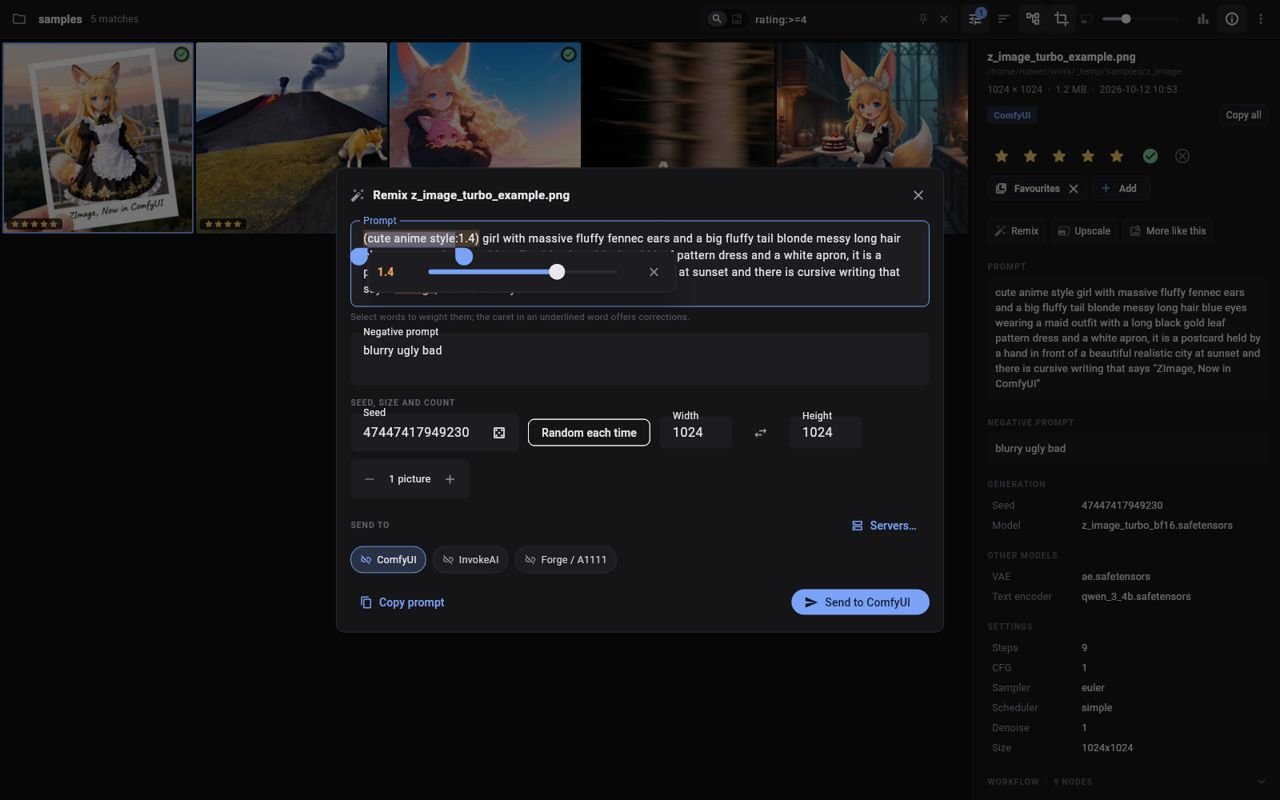
Open the picture's prompt in an editor, change what you like and queue it on ComfyUI, InvokeAI or Forge / A1111. Nothing is sent until you press Send.
- ComfyUI and InvokeAI pictures go back with their own workflow, the new values swapped in place.
- Pictures from other tools get a workflow built from their settings: the same model and LoRAs, matched by name to what your server has installed.
- Keep the seed or roll a new one each time, set a count, and resize with the shape locked.
- Jobs survive a restart: anything still out on ComfyUI or InvokeAI is picked up again next launch, with Android notifications when it lands.
SAVED AS name_remix1.png · INTO THE REMIXES COLLECTION
 REC ● REMIX
- PICTURE + DATA
- WORKFLOW REUSED OR REBUILT
- YOUR SERVER
- name_remix1.png
PROMPT EDITOR · LORA MIXER
Weight words with a slider
Select a few words and a slider appears under them. Drag it and they become (words:1.2), tinted warmer the heavier they get. Ctrl ↑ ↓ nudge it, like in ComfyUI.
- Turn each LoRA off or reweight it from −1 to 2.
- Check trigger words looks each LoRA up on Civitai and adds a missing one with a tap.
- A LoRA left on with none of its trigger words in the prompt is outlined.
- Steps and CFG sliders start at the picture's values; spell-check knows words like bokeh and isometric.
TRY ITClick a phrase, then drag its weight. Toggle a LoRA or add a trigger word.
An interactive sketch of the editor with made-up LoRAs, not the app itself.
IMAGE TO IMAGE · INPAINTING
Paint what should change
Send the picture itself as the starting point. A denoising slider runs from 0, keep it, to 1, redraw it almost from scratch. Paint a mask and only that part is redrawn.
- Brush or Trace round a shape, erase, invert and undo; zoom and pan to the detail.
- ComfyUI: its own workflow, the empty latent swapped for your picture, with a latent noise mask.
- InvokeAI: the picture's own graph, started the way its canvas does, so SD, SDXL, FLUX and Krea 2 all work.
- Forge / A1111: their img2img endpoint, with the mask for inpainting.
TRY ITPaint over the picture to choose what gets redrawn.

An interactive sketch of the mask painter, not the app itself.
UPSCALE · SHIFT U
Bigger on the device, better on the server
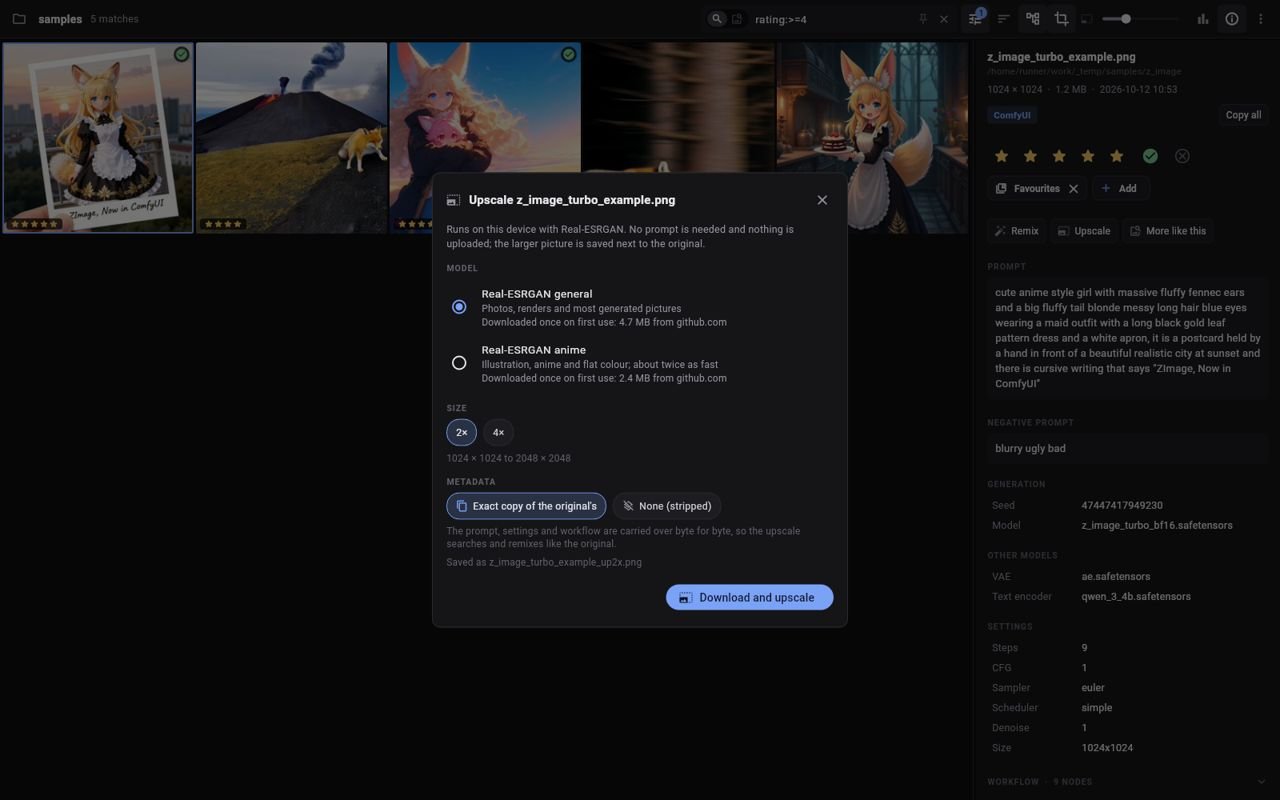
Real-ESRGAN runs on the device in the Rust core: no server, no upload, no prompt. Then, if you like, a hires-fix pass redraws it lightly at the larger size, so it gains real detail instead of just sharpness.
- General or anime model, 2× or 4×; each a one-time download of a few MB.
- Keeps an exact copy of the original's metadata, byte for byte, so the upscale searches and remixes like the original. Or strip it.
- Hires fix sends it as image to image at 1.5× or 2× with its own prompt, LoRAs and seed, at a low denoise (0.35 to start).
- Tick a batch and they run one after another, with progress and a stop button.
 REC ● UPSCALE
- 1024×1024
- REAL-ESRGAN, ON DEVICE
- name_up2x.png
- SERVER REFINE · 0.35
- name_hires1.png
A LOOK AROUND · CHANGE THE CHANNEL
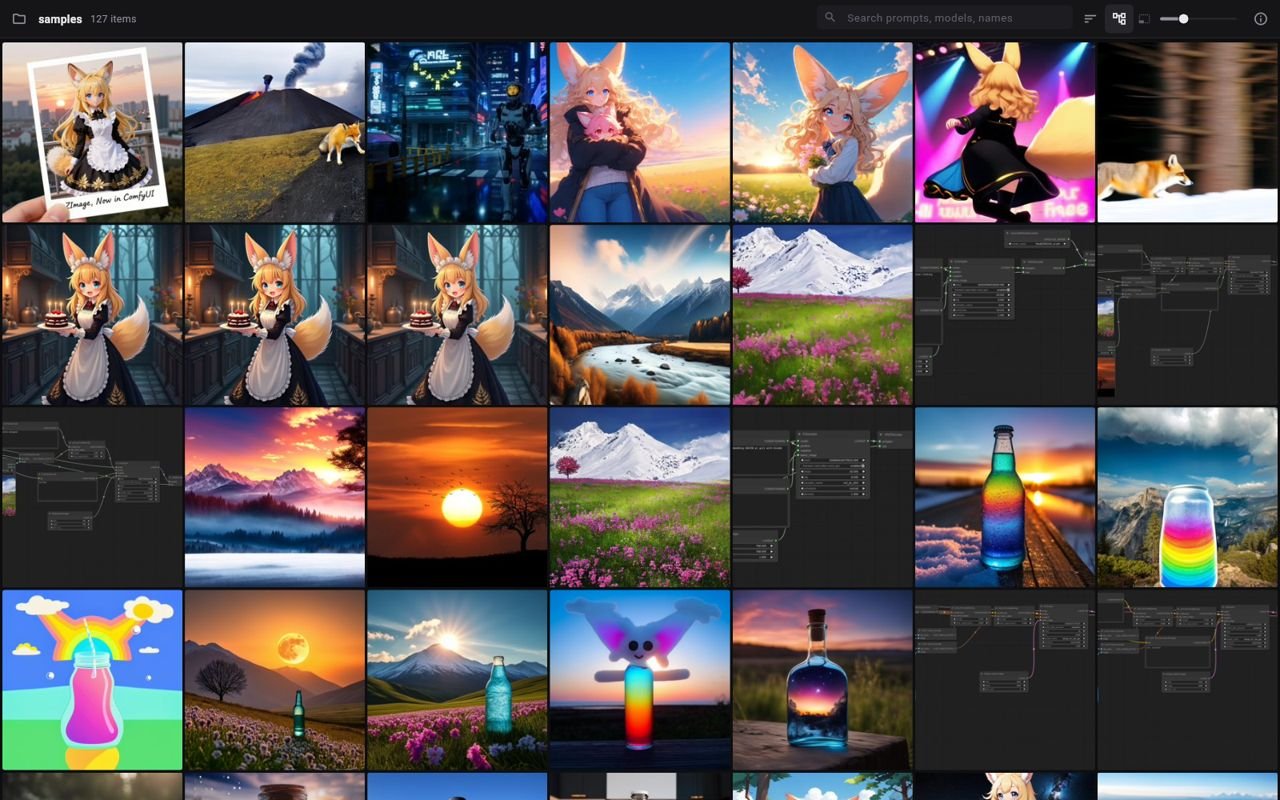
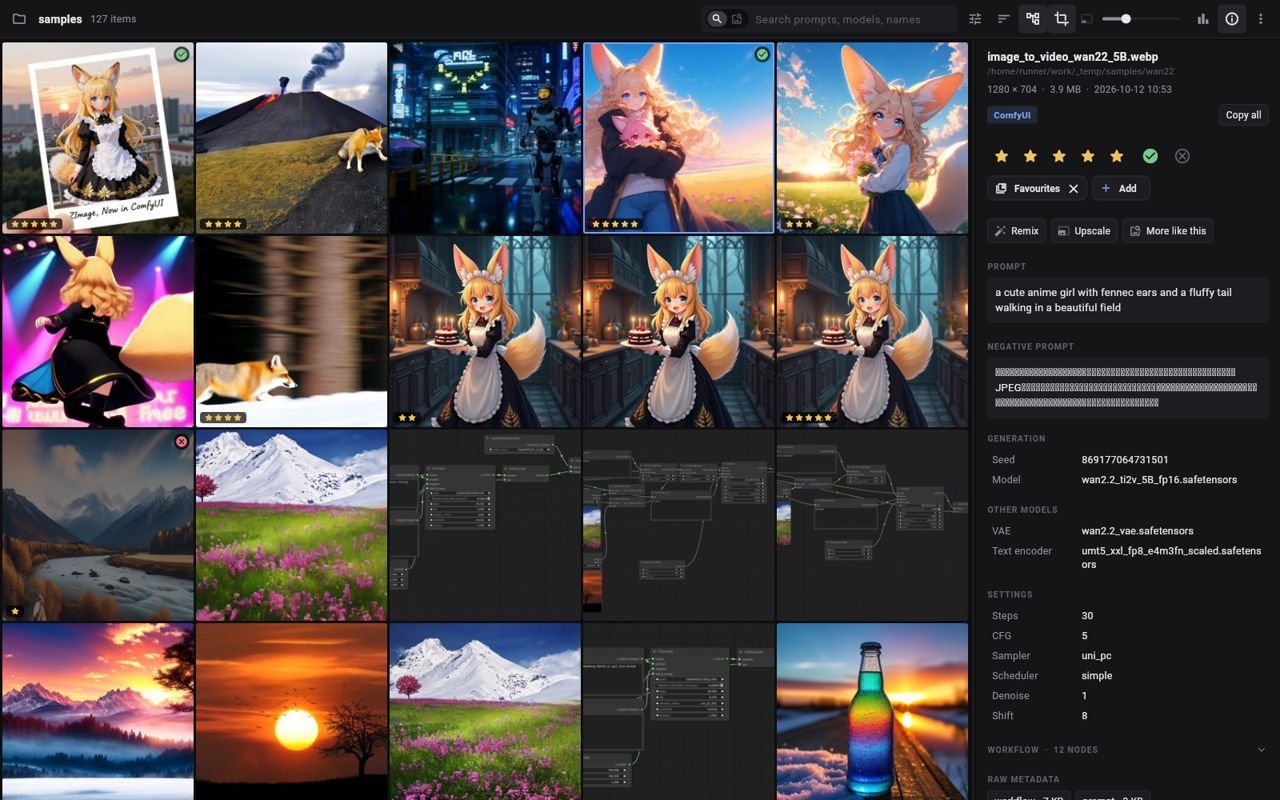
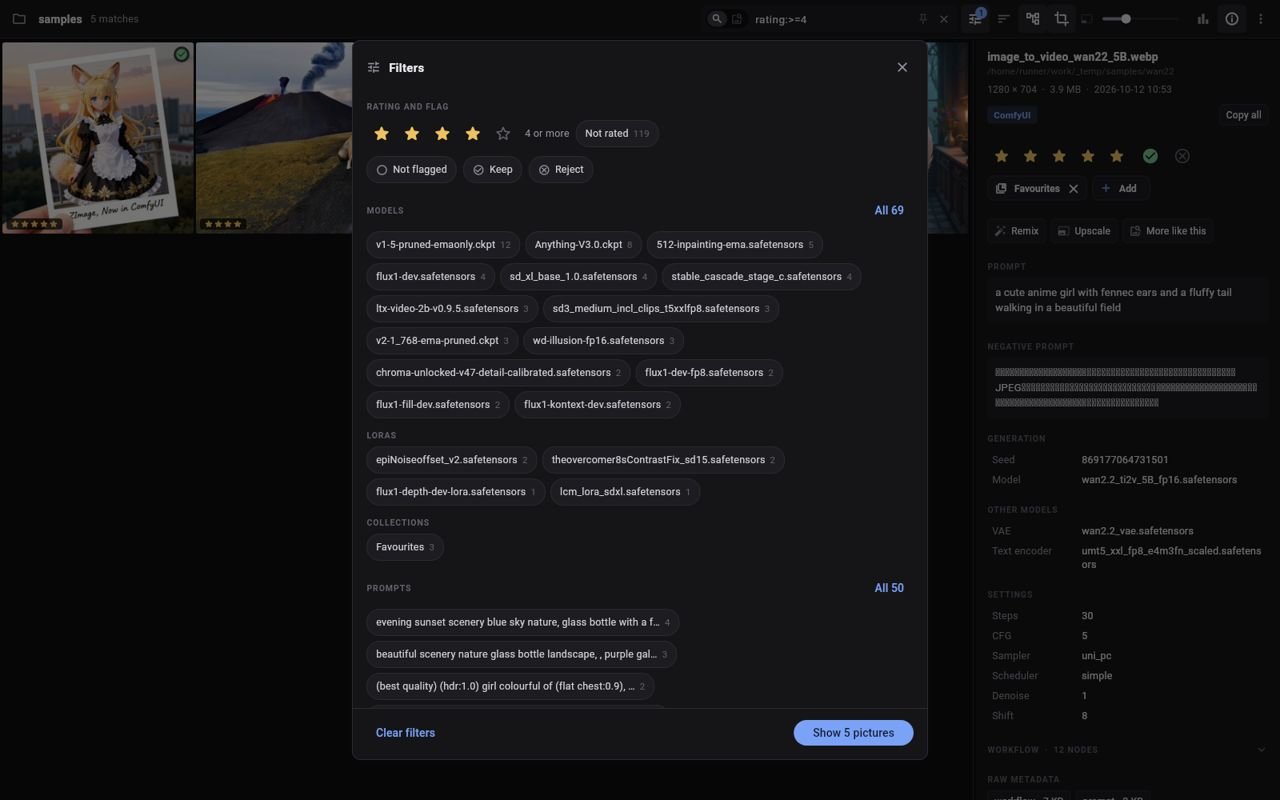
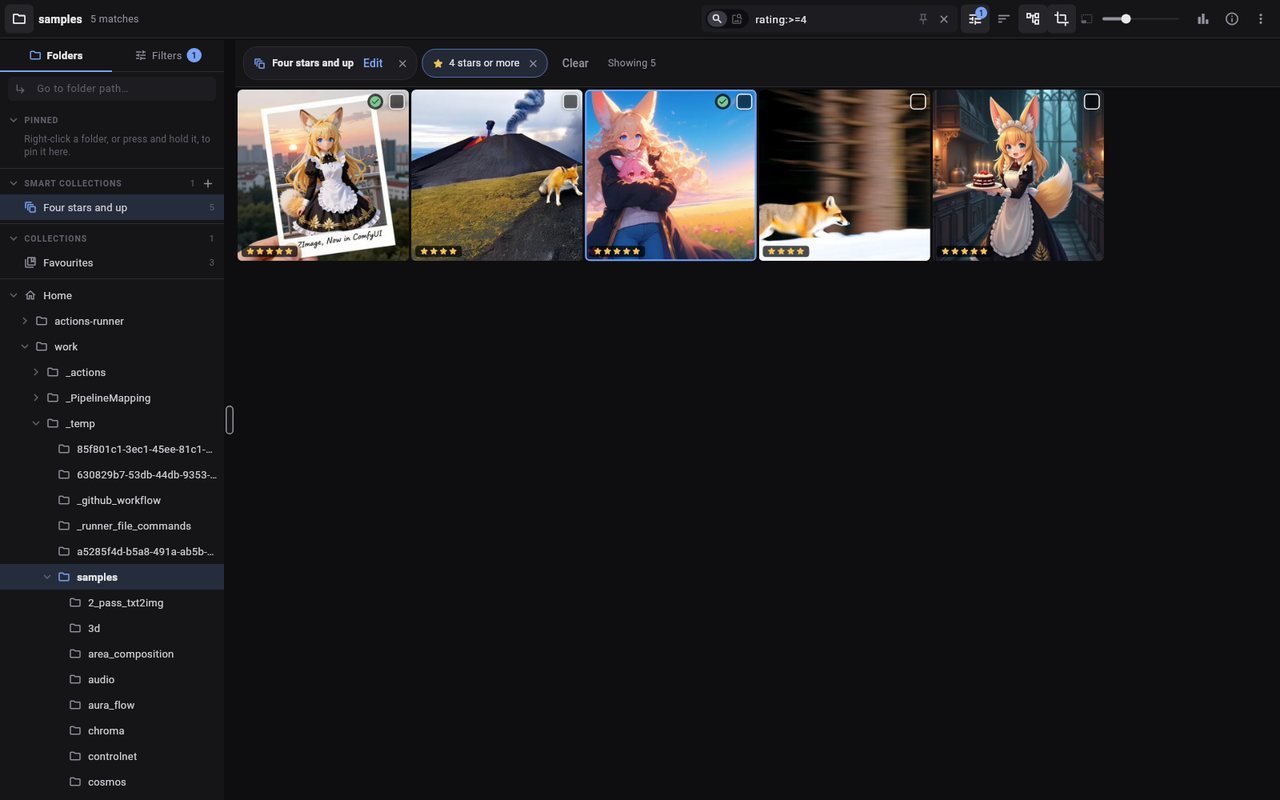
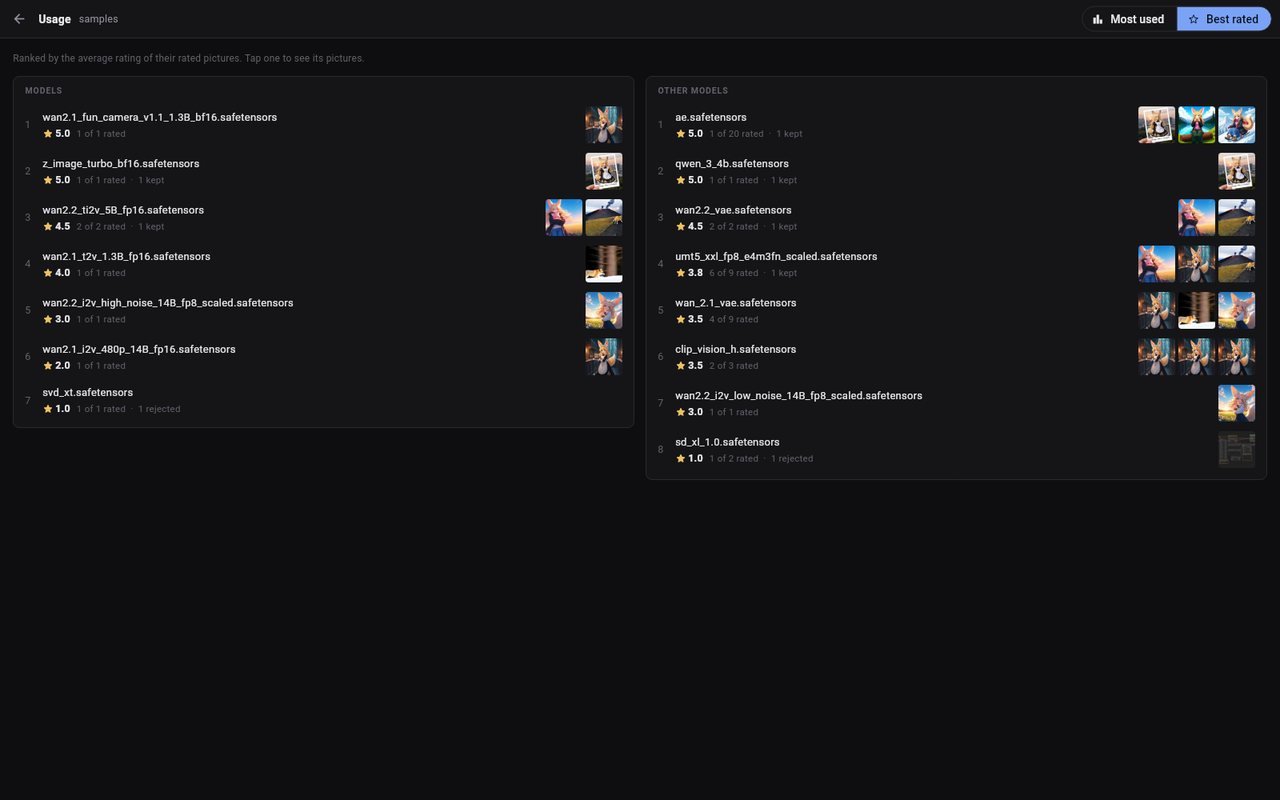 CH 01 · The grid
INTERACTIVE · SEARCH SYNTAX
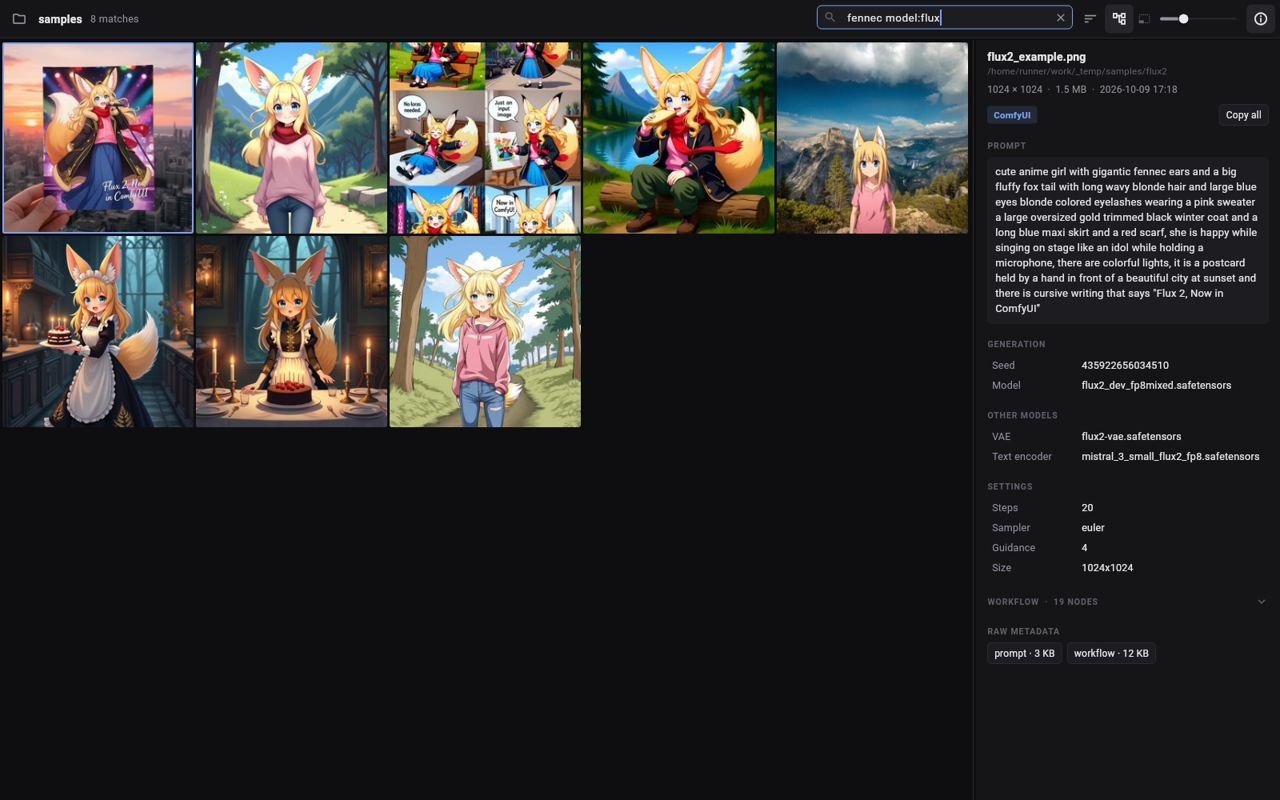
grep for pictures.
Search finds whole words in prompts — fox is not foxglove — and names that start with what you typed. Best matches first. Type, or try a query.
AND EVERYTHING AROUND IT · ORGANIZE
Find it. Rate it.
Keep the good ones.
Reads the generation data
Prompt, negative, seed, model, LoRAs with weights, VAE, ControlNet, sampler settings, the full ComfyUI node graph and the raw JSON.
Content search & prompt check
Describe what you want, “a fox in the snow”, and on-device TinyCLIP finds pictures that show it. Prompt check marks which phrases of the prompt the picture really shows.
Learns your taste
After a few ratings it sorts likely keepers first and suggests rejects. A small model fitted on the device in about a second; nothing leaves it.
Ratings & smart collections
Stars, keep or reject, collections, and rule-based smart collections with live counts, all saved in a small file beside the pictures so they sync.
Filters & best rated
Every model, LoRA, sampler and prompt word with counts; a timeline of images; models and LoRAs ranked by the stars of their pictures.
Compare side by side
Two to four results with zoom and pan in sync. Settings that differ are marked, and prompts are diffed word by word.
Near-duplicates
is:duplicate shows only pictures with an all-but-identical twin, grouped side by side, so the weaker ones are easy to tick and delete.
Live folder, Follow mode
New pictures appear as they land; Follow selects each one as it arrives, ideal on a second screen while you generate.
PROGRAMME GUIDE
Now booking
20:00Concept
art iterationSketches into polished
visuals.
21:00Custom
LoRA trainingConsistent characters and
styles.
22:00ComfyUI
workflowsCustom nodes and
automation.
23:001-on-1
trainingLive sessions on generative
tools.
RERUNS
Past seasons
Senior Full Stack Developer — Iroquois Systems
Defense simulation, OpenGL, 3D, video capture.
Senior Software Developer — RW Baird
.NET and Azure; Flutter mobile apps.
Senior Software Engineer — Noetec Inc.
C#, .NET and Angular web apps.
STACK: C# · .NET · REACT · NODE · PYTHON · TAILWIND · SQL · FLUTTER · RUST